Hiland SEO is an AI content platform I built and run. A business adds the topics it wants to be found for, and Hiland suggests what to write, drafts SEO-focused articles with research, and publishes them straight to the website.
It’s a good example of an AI workflow on a business’s own information: the same steps every time, a clear source for each article, and a person in charge of what goes live.
1. Start with what you offer
You add your website and a short description of what your business does. If you use Google Search Console, you can connect it, so ideas come from the searches your site already appears for. If Google doesn’t know your site well yet, the description is enough to begin.
2. Choose what to write
The Opportunities screen lists article ideas grouped into themes. Each shows roughly how many people search for it each month, how hard it is likely to be to rank for, what searchers seem to want, and why it was suggested.
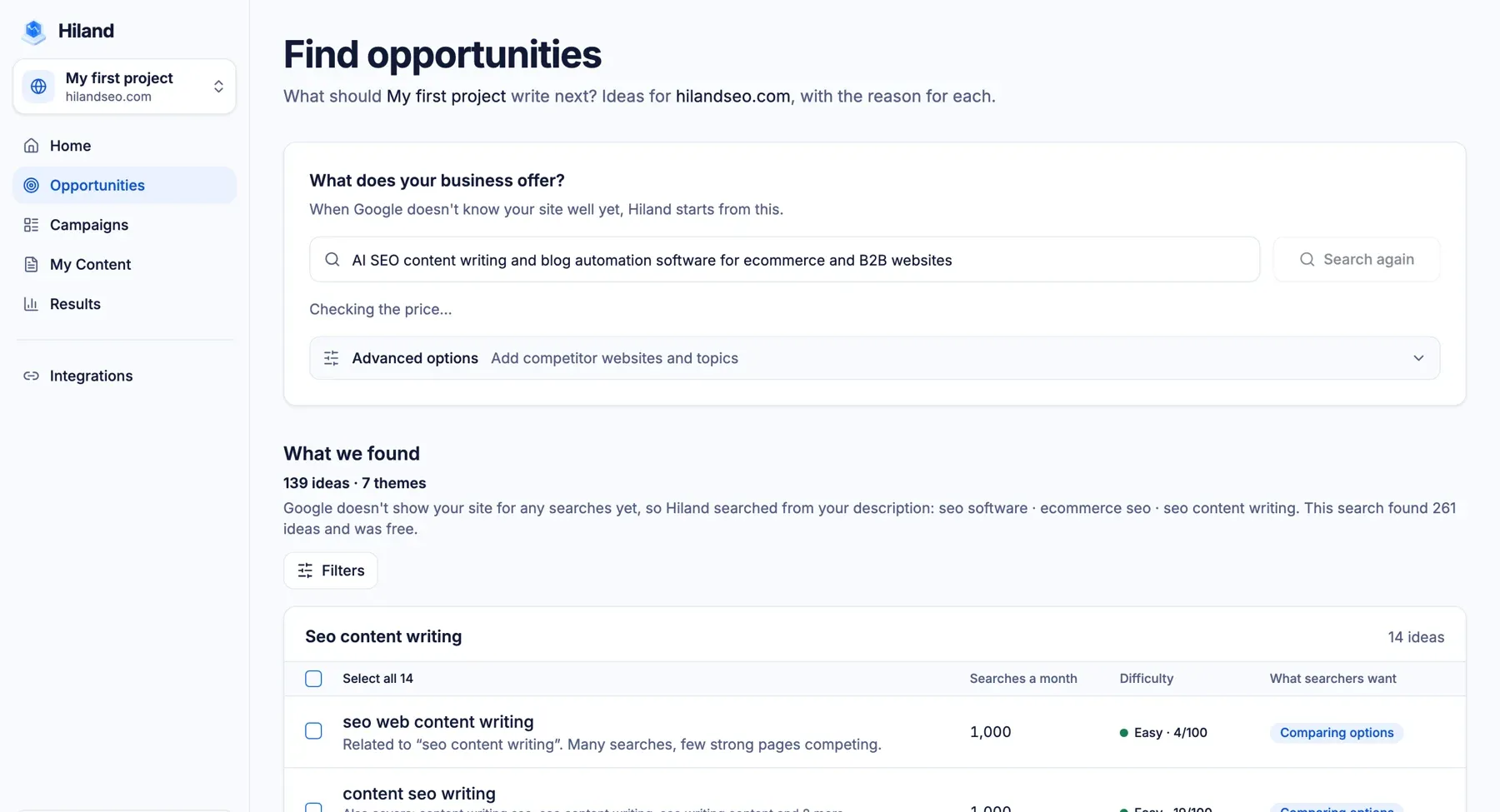
A smaller keyword your ideal customer actually searches for is often worth more than a big one that brings the wrong visitors. This is the step worth slowing down on.
3. Draft, then edit
Hiland researches and drafts the article in its editor. Treat the draft as a strong first version: check facts and anything specific to your business, add your own examples, and make sure it sounds like you.
4. Publish and keep track
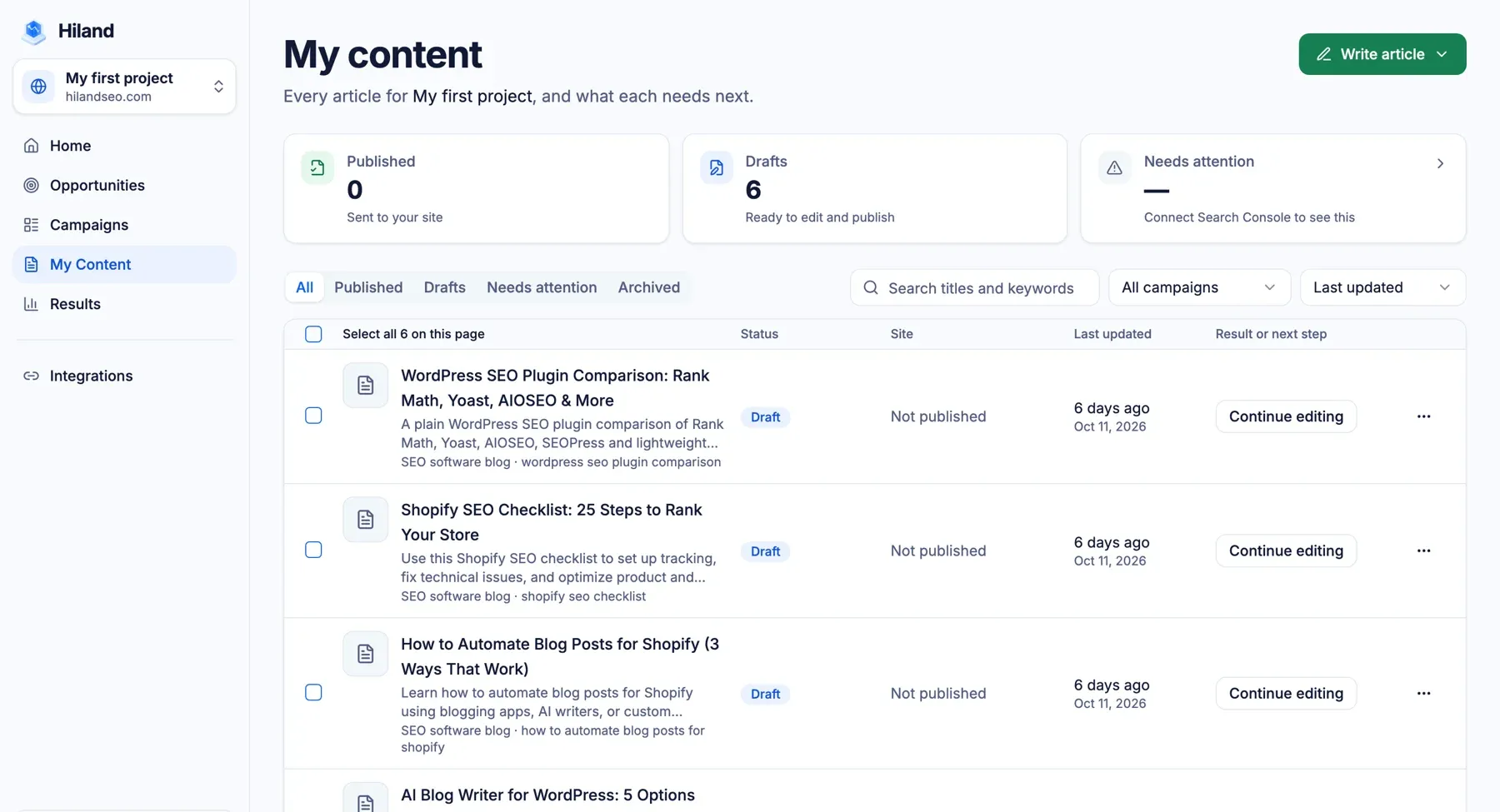
Articles publish to WordPress or Shopify, one at a time or on a schedule you set. The My Content screen keeps every article in one list, with its status and what it needs next.
Good to know
- Direct publishing works with WordPress and Shopify. On other platforms you copy the article across.
- Search rankings take time and are never guaranteed. Content helps, but results also depend on your site, your competitors and your links.
- Ideas based on your own search data need Google Search Console connected.
You can try Hiland SEO with free credits.